Pixel Tap: Coloring Number brings numbered pixel art to Android
Pixel Tap: Coloring Number, from Draco Games, is a meditative coloring app for low-pressure creative play. Players fill numbered grid cells with matching colors via a tap-to-color mechanic, using smooth zoom and pan to reach small blocks and a palette for exact fills. It hosts a large template library spanning animals, flowers, food, and geometric themes, plus daily additions and sharing tools. The audience includes children and adults seeking short, calming creative sessions and a low-effort mindfulness tool.
What kind of game is Pixel Tap?
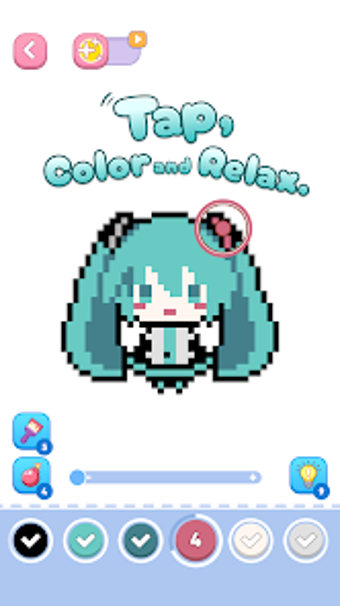
In this game, Pixel Tap converts numbered tiles into finished pixel images through a single-task loop. Users pick a template and fill each numbered cell to reveal the picture. The design centers on quiet completion rather than scores or timers. The app frames the activity as an anti-stress exercise and fits players who prefer simple, focus-driven sessions over action or puzzles.
Does it include social features or progression?
Inside the app, the experience stays personal and session-based; there is no competitive multiplayer. Progress is saved automatically so projects can be paused and resumed later. Controls offer smooth zoom and pan to reach small blocks with precision. Finished works can be exported for sharing, which adds a social outlet without changing the solitary nature of the coloring loop.
What does the game look and how replayable is it?
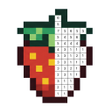
Playing Pixel Tap, the visual output is low-resolution mosaic art that resolves into recognizable icons as cells fill. The interface emphasizes the grid and numbered palette labels, keeping overlays minimal. Replay value depends on the large catalog of templates and regular additions, which let short sessions vary frequently and encourage returning to new images rather than extended single playthroughs.
Pixel Tap suits casual creators and short-session players
Pixel Tap is a calm choice for players seeking quick creative outlets and brief mindful breaks. Its design favors accessibility and single-task focus. However, that simplicity reduces appeal for players who want layered progression, competitive modes, or deeper mechanics. Fans of concise, low-effort creativity should try it; those seeking long-term systems or challenge should expect a straightforward coloring experience.